
15 Best AI Tools I Can’t Live Without in 2026 (Free + Paid)
Almost every tech tool I have been using for the past three years has some AI feature baked into it now.
It all started with ChatGPT, then Claude, and then we had an explosion of AI apps for literally every use case you can think of. Video editing, voice generation, coding, search, automation, presentations, SEO, you name it. Tools promising to make us more productive.
Some were simple “ChatGPT wrappers” while others were genuinely new products that used AI in ways that were not possible a few years ago.
The problem is that there are so many AI tools out there now that it’s hard to know which ones are actually worth your time. I have personally tested over 70 of them, and most I used once and never opened again. But there are a handful that I genuinely cannot live without at this point.
These are the 15 AI apps that have stuck around in my daily and weekly workflow and continue to help me ship things faster and better.
What is an AI app?
An AI app is any application that uses artificial intelligence, typically from large language models (LLMs), to help you get work done. This kind of AI software goes beyond traditional tools by being able to understand context, generate content, make decisions, and automate tasks that would normally require a human.
Some AI apps are built entirely around AI, like ChatGPT or Claude, where the AI is the product. Others are new AI tools that have used LLMs to create automations with other APIs and existing tools. There are use cases for everything now.
The AI apps on this list cover a wide range of use cases, from writing and coding to video editing, voice generation, search, and automation. So I’m sure you’ll find something in this list that you can walk away using in just 15 minutes from now.
But before we jump into the list of AI apps, let me go over how I evaluate AI tools when trying them out.
How I chose the AI apps on this list
I have probably used over 70 different AI tools and AI platforms over the past couple of years. And out of all of them, these are the 15 that I find myself coming back to over and over again over the last six months.
Some of them I use every single day. Others I use weekly depending on the project. But none of them are tools I tried once and forgot about.
Here is what I look at when evaluating whether an AI tool is worth keeping around:
- How often I actually use it after the first week
- Whether it actually produces something net new or it’s just perceived value
- How easy it is to get started
- The quality of the output compared to doing it manually
- Whether it has a free plan or reasonable pricing
- How well it integrates with the other tools I already use
- Whether the product is actively improving or feels outdated
- How reliable it is when I am depending on it for real work
These are more vibe tests. I could go over things like specific features and all the technical details. But I think that’s starting to matter less and less these days. It’s less about the tech, and more about it unlocking something I couldn’t do before.
Okay, no more rambling. Let’s go over my top AI apps right now.
15 Best AI Tools in 2026 (Free + Paid)
Here are the best AI apps:
- Google Labs
- Gumloop
- Claude
- Cursor
- Higgsfield
- Weavy
- ElevenLabs
- Paradigm AI
- Clearscope
- v0 by Vercel
- Lovable
- Originality AI
- Descript
- Perplexity
- Gamma
Alright, let’s go over these in depth.
1. Google Labs
- Best for: Experimenting with Google’s latest AI apps and tools for free
- Pricing: Free
- How I use it: Creating on-brand social media ads with Pomelli and prototyping with Google AI Studio.
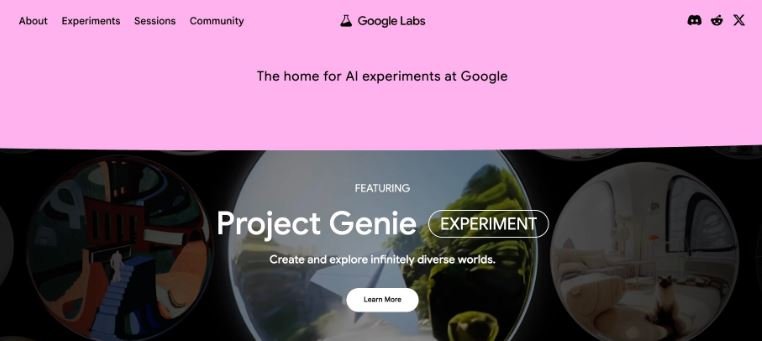
Some people might not know this, but Google has a ton of amazing free AI tools and apps for anyone to use. Through Google Labs, their experimental AI product hub, they have tons of different mini-apps for various use cases.
For example, they have an app called Pomelli that lets you create visual content for things like social media or ads. In fact, I have been using Pomelli a lot. The thing I like about it is that you input your website and it downloads your entire design system. Then you can feed it your product images and it creates custom ads that are natively on-brand around your specific products.
There is also Google AI Studio, which is a completely free web-based tool where you can prototype and experiment with Google’s Gemini models. You can test prompts, generate images, create speech, and even build lightweight apps without paying a cent. It is one of the most underrated free AI tools out there right now.
And if you are a developer, Google also released Antigravity, their new AI-powered IDE built around autonomous coding agents. It is powered by Gemini 3 and lets you delegate complex coding tasks to AI agents that can plan, write code, test it in a browser, and validate the results without you needing to babysit every step.
Pros:
- Completely free to use across almost all experiments.
- Pomelli is one of the best tools for creating on-brand ad content without a designer.
- Google AI Studio gives you raw, unrestricted access to Gemini models.
- Antigravity is a legitimately powerful free IDE for developers.
Cons:
- Features can disappear without warning since they are experimental.
- Not all experiments are available in every country.
- Tools can feel half-baked since they are still in active testing.
Google Labs Pricing
Google Labs is completely free to use. All experimental apps, Google AI Studio tiers, and public preview developer tools are accessible at no cost.
2. Gumloop
- Best for: Automating marketing, sales, and ops workflows with AI agents
- Pricing: Free 14-day trial, then starts at $37/month
- How I use it: Building automated SEO workflows, web scraping flows, and multi-agent systems.
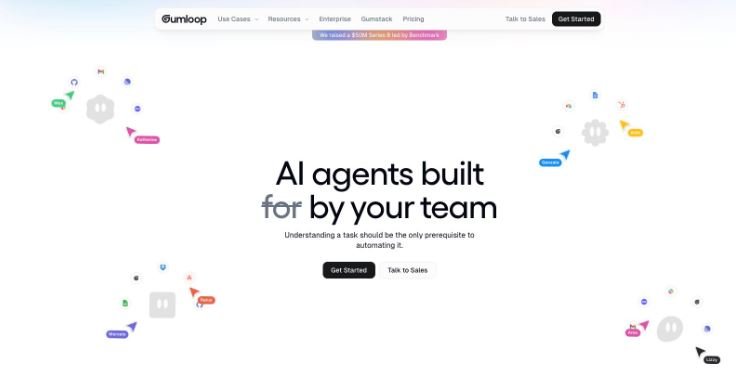
Gumloop is an AI automation and AI agent builder that I have been using for about 14 months now. It is one of the first automation tools that I fell in love with since using Zapier for almost a decade.
What makes Gumloop different from traditional tools is that it is built specifically for AI-first workflows. Instead of just moving raw data between apps, Gumloop lets you drop an LLM into the middle of your workflow to actually think, analyze, and make decisions. It connects with any premium model like ChatGPT, Claude, Gemini, DeepSeek, or Grok. You can also connect Model Context Protocol (MCP) servers to pull live data.
The platform has a drag-and-drop builder where you can chain together web scraping, AI prompts, integrations, and outputs. For example, I have a flow that scrapes competitor blog posts, summarizes them with AI, and sends me a Slack digest every morning. I have another one that takes a list of target keywords, runs them through an LLM to generate content briefs, and pushes the output directly into Google Docs.
They also have Gummie, which is their in-product AI copilot that can help you build flows from scratch just by describing what you want in plain English.
Pros:
- Integrates with any major LLM model natively.
- Makes web scraping automations incredibly easy to set up.
- Gummie (AI copilot) can build complex flows directly from a text description.
- Highly active Slack community for troubleshooting.
Cons:
- Complex workflows can take some trial and error to get right.
- Credit-based pricing means you need to monitor high-volume loops closely.
Gumloop Pricing
- Pro: $37/month with 20,000+ credits, unlimited triggers, webhooks, and the ability to bring your own API key.
- Enterprise: Custom pricing featuring role-based access control, SAML/SSO, and audit logs.
3. Claude

- Best for: All-around AI assistant for writing, coding, research, and productivity
- Pricing: Free plan available, Pro starts at $20/month, Max starts at $100/month
- How I use it: Proofreading blog posts, building internal tools with Claude Code, and managing marketing campaigns with Projects.
There is a good chance you already know what Claude is—the popular AI assistant built by Anthropic—but specifically, I want to talk about their desktop ecosystem. I have been using Claude almost every day for everything from refining product ideas to using it as an AI writing tool to proofread blog posts.
My favorite feature is Claude Projects. For every marketing or development campaign I work on, I save it as a Project and add custom “skills” as internal system instructions. It basically turns Claude into a custom team member tailored to that specific project’s data.
But there is also Claude Cowork, which gives the AI context to help make local file edits on your computer, and Claude Code. I have been using Claude Code a lot recently to create mini internal tools, like a personal speech-to-text script I used to draft sections of this very article.
Pros:
- Projects feature lets you lock in custom instructions and reference documents per campaign.
- Claude Code is incredibly fast for terminal-based internal tool creation.
- MCP integrations seamlessly connect it to live data sources like Google Analytics.
- The Free plan is highly capable and responsive.
Cons:
- Message usage limits can be frustrating during peak work hours, even on Pro.
- Does not generate images natively within the chat.
- Large pricing jump between Pro ($20/month) and Max ($100/month).
Claude Pricing
- Free: $0/month with web, mobile, and desktop access, web search, memory, and MCP connectors.
- Pro: $20/month with higher usage limits, access to Claude Code and Cowork, and Projects.
- Max: From $100/month with 5x to 20x more usage capacity than Pro and higher output limits.
4. Cursor
- Best for: Next-generation AI pair-programming and seamless codebase navigation
- Pricing: Free tier available, Pro starts at $20/month, Business at $40/month
- How I use it: Writing complex backend scripts, performing massive codebase refactors using the
Composertool, and auto-generating unit tests.
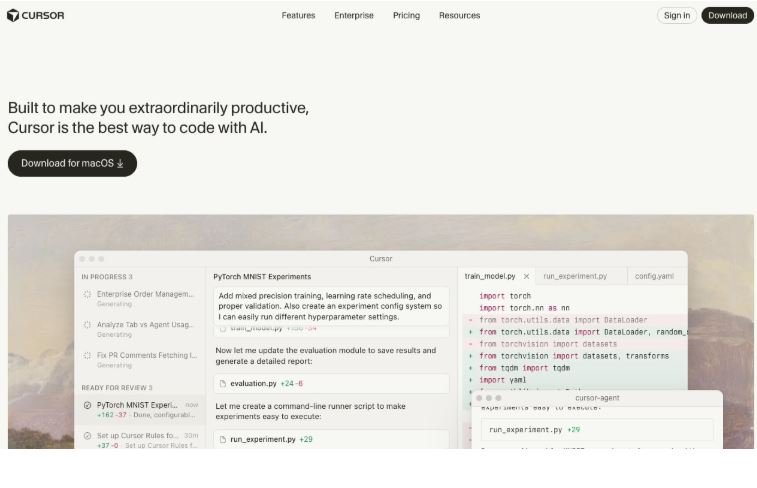
If you write code and haven’t switched to Cursor yet, you are working in slow motion. Built as a fork of VS Code, it keeps all your extensions and themes but bakes AI deeply into the editor’s core architecture.
The feature that makes Cursor irreplaceable is the Composer (Cmd + I). Instead of just auto-completing the next line of code, you can tell it: “Refactor our authentication helper to use the new database schema across these four files,” and it will simultaneously modify multiple files in real time before your eyes. You can tag specific files (@filename) or your entire folder context (@Codebase) so the AI never hallucinates structural details.
Pros:
- Incredibly fast codebase indexing allows the AI to accurately reference your entire project.
- Composer makes multi-file code generation and refactoring seamless.
- Zero friction migration—imports your exact VS Code setup in one click.
- Inline edits (
Cmd + K) let you modify chunks of code with lightning-fast text commands.
Cons:
- High-volume AI generation can occasionally feel overwhelming if it modifies files incorrectly (requires active Git tracking).
- Relies heavily on premium model quotas on the basic tier.
Cursor Pricing
- Hobby: $0/month with basic completions and limited premium requests.
- Pro: $20/month with unlimited completions and 500 fast premium requests per month.
- Business: $40/user/month with centralized billing, privacy-guaranteed data scraping policies, and higher limits.
5. Higgsfield
- Best for: Cinematic, multi-shot text-to-video and marketing content generation
- Pricing: Starter plan at $15/month, Plus plan at $39/month
- How I use it: Generating highly cinematic, multi-shot video intros for YouTube and creating hyper-realistic, physics-aware product ads.
Higgsfield is a massive breakthrough for creators because it acts as a unified AI film studio rather than a single basic video generator. Instead of forcing you to jump between different accounts, Higgsfield aggregates over 15+ world-class video models (like Seedance 2.0, Kling 3.0, and Veo 3.1) under one roof.
What makes it an essential tool for my workflow is its Cinema Studio and Soul ID character consistency tracking. If I need a 15-second multi-shot ad sequence featuring the exact same digital actor, Higgsfield keeps their face, voice, and clothing consistent across different camera cuts. Its physics-aware engine handles fluid dynamics and cloth movements perfectly, yielding outputs that look intentionally directed rather than randomly generated.
Pros:
- Aggregates 15+ of the top video models under one unified subscription.
- Soul ID maintains pristine character and asset consistency across multiple clips.
- Native audio generation automatically binds voices and environmental sounds to the action.
- Cinema Studio provides director-level camera controls (pans, tracking shots, orbits).
Cons:
- Heavy cinematic rendering requires high credit usage.
- Demands highly detailed prompts to get exact framing and lighting right.
Higgsfield Pricing
- Starter: $15/month covering roughly 320 basic generations with access to mid-tier video models.
- Plus: $39/month unlocking the premium, full-scale Seedance 2.0 multi-shot video engine and priority rendering.
6. Weavy (Figma Weave)
- Best for: Node-based design automation and asset generation directly inside your canvas
- Pricing: Free tier, Pro access integrated with advanced Figma workspaces starting at $15/month
- How I use it: Running image-to-SVG automated conversions, batch-generating UI variations, and extracting assets on the fly.
Weavy started as an incredibly popular independent node-based workspace for generating UI designs, illustrations, and visual effects before being acquired by Figma. It has now evolved directly into Figma Weave, living right inside the design canvas.
Instead of exporting design screenshots to run through external image tools, you simply select a visual component on your canvas, open the Weave pipeline, and let the AI generate pixel-perfect design variations or vector components. It also allows teams to publish custom “Weave Workflows” to the Figma community, standardizing how automated brand styles are applied across massive design systems.
Pros:
- Zero context switching—works natively inside your active Figma files.
- Turns static raster images into clean, editable SVG vectors with high precision.
- Reusable workflows make scaling asset generation for marketing campaigns incredibly simple.
Cons:
- Can have a slight learning curve for users unfamiliar with node-based logic pipelines.
- Tied directly to the Figma ecosystem, making it less ideal for standalone graphic designers.
Weavy Pricing
- Community: Free access to basic community workflows and standard image alterations.
- Weave Pro: Integrated into professional designer seats starting around $15–$20/month depending on enterprise workspace volume.
7. ElevenLabs
- Best for: Studio-quality AI voice generation, voice cloning, and audio localization
- Pricing: Free tier available, Starter at $5/month, Creator at $22/month
- How I use it: Generating natural, highly expressive voiceovers for video tutorials and dubbing content into international languages.
ElevenLabs remains the undisputed champion of synthetic audio. If you need a voiceover that sounds exactly like a real human—complete with natural pauses, emotional inflections, and breaths—there isn’t another tool that comes close.
I use ElevenLabs primarily to handle narrative scripting for video content. Instead of setting up microphones and recording multi-take audio tracks manually, I can drop a text script into ElevenLabs, select a high-fidelity voice profile, and get an exportable file in seconds. Their voice isolation and voice cloning modules are so advanced that you can train a highly accurate clone of your own voice with just a few minutes of clean audio data.
Pros:
- The most emotionally expressive and human-sounding voice synthesis on the market.
- Instant multi-language dubbing preserves the original speaker’s tone and delivery style.
- Massive library of pre-cleared, professional community voice profiles to choose from.
Cons:
- Long-form audio scripts burn through character quotas quickly.
- The fine-tuning interface can occasionally take multiple attempts to nail specific pronunciations.
ElevenLabs Pricing
- Free: $0/month with 10,000 characters per month and standard voice generation.
- Starter: $5/month ($2.50 for the first month) offering 30,000 characters and custom voice cloning.
- Creator: $22/month offering 100,000 characters and professional voice cloning access.
8. Paradigm AI (Visual Paradigm AI)
- Best for: Transforming text prompts into complex, editable software and enterprise architecture diagrams
- Pricing: AI Starter packages begin around $12/month, expanding into premium desktop licenses
- How I use it: Conversational blueprinting of system architectures, generating UML charts, and keeping live technical documentation updated.
Unlike generic AI diagram web tools that only spit out flat, static images you can’t edit, Paradigm AI builds fully structural, traceable modeling architectures. You interact with an AI Visual Modeling Chatbot to turn natural language instructions into living, interactive flowcharts, C4 models, system infrastructure maps, and UML code.
If I am building an app workflow, I can prompt it to “Draw a system architecture diagram for a user login system utilizing OAuth.” It outputs a fully layered diagram. If I later say “Add an admin role who bypasses MFA,” it intelligently restructures the layout without destroying the existing flow.
Pros:
- Generates native, fully editable vector components—never static flat images.
- Enforces strict engineering standards (UML, SysML, C4 modeling layouts).
- Conversational editing makes refining highly complex processes incredibly intuitive.
- Integrates directly with OpenDocs for live technical wikis.
Cons:
- Interface is distinctly enterprise-grade, which might feel overly complex for basic mind-mapping.
- Maximum value requires pairing it with the full Visual Paradigm desktop suite.
Paradigm AI Pricing
- AI Online Starter: Starts at $12/month for standalone conversational diagram generation.
- Enterprise Bundle: Varies based on corporate team licensing, offering comprehensive code engineering and multi-diagram traceability.
9. Clearscope
- Best for: Enterprise-grade SEO content optimization and search intent analysis
- Pricing: Plans start at $170/month
- How I use it: Grading content drafts against real-time Google search trends and building granular, high-ranking outline briefs.
Clearscope is the tool that ensures the articles I write actually rank on the first page of search engines. It removes the guesswork from SEO content optimization entirely.
When you plug a target keyword into Clearscope, its AI analyzes the top-ranking results on Google to create a comprehensive semantic grading sheet. It tells you exactly which topics, long-tail terms, and questions your content must cover to satisfy user search intent. The real-time text editor grades your draft from F to A+ as you write, giving you an immediate pulse check on whether your content is competitively comprehensive before you hit publish.
Pros:
- Highly reliable data that directly correlates with strong search engine visibility.
- Intuitive text editor interface makes it easy for freelance writers to follow without training.
- Flawless integrations with Google Docs and WordPress.
Cons:
- Significantly expensive entry-level price point, positioning it strictly as a B2B professional tool.
- Does not write the content for you—it acts strictly as an optimization guardian.
Clearscope Pricing
- Essentials: $170/month including 10 content reports and multi-user access slots.
- Business/Enterprise: Custom configurations providing higher report limits and custom API call integrations.
10. v0 by Vercel
- Best for: Converting natural language prompts into production-ready UI components
- Pricing: Free plan available, Premium plans start at $20/month
- How I use it: Prompting beautiful web landing pages, dashboard widgets, and user onboarding flows using Tailwind CSS and shadcn/ui components.
v0 is magic for web developers and product designers. Built by the team at Vercel, it allows you to describe any web interface you want in plain English and instantly returns clean, highly responsive frontend code.
For example, you can tell v0: “Create a modern dark-mode analytics dashboard showing user retention tables and a sidebar nav.” Within seconds, it builds the entire UI. The best part is that it doesn’t just output arbitrary code; it uses pristine, production-grade React components styled with Tailwind CSS and shadcn/ui. You can visually select parts of the generation and text-edit them iteratively until it’s perfect, then copy the code directly into your project.
Pros:
- Generates exceptionally clean, semantic code that you can drop straight into production.
- Supports iterative, block-specific component editing.
- Connects seamlessly to Vercel deployment pipelines for instant preview URLs.
Cons:
- Limited strictly to frontend user interfaces—requires you to wire up the backend logic independently.
- Complex layouts occasionally require minor manual CSS tweaking.
v0 Pricing
- Free: $0/month with basic generations and shared public outputs.
- Pro: $20/month providing private generations, significantly higher speed credits, and early feature drops.
11. Lovable
- Best for: Building fully functional full-stack web applications entirely with natural language
- Pricing: Free plan available, Starter plans scale based on application complexity from $25/month
- How I use it: Rapidly building operational internal web apps, setting up full-stack MVPs, and auto-provisioning databases.
While v0 focuses on delivering pristine frontend code components, Lovable goes a step further by generating fully operational full-stack software applications. You describe what your app needs to do, and Lovable instantly builds the user interface, sets up the database, handles user authentication, and creates the backend logic.
If you have an idea for a software tool, you can literally type out: “Build an internal lead tracker where sales reps can log calls, attach client notes, and filter leads by deal stage.” Lovable creates the functional app, provisions a structured database behind it, and deploys it live to a shareable URL in minutes. It completely bridges the gap between pure code generation and no-code product building.
Pros:
- Builds true full-stack applications (UI + Backend + Database + Auth) from text prompts.
- Includes a robust visual editor alongside conversational AI for fast styling edits.
- Immediate, one-click hosting deployments.
Cons:
- Highly complex, custom enterprise integrations will eventually require manual developer handoffs.
- Daily generation credits on the free tier disappear quickly during intense app building.
Lovable Pricing
- Free: 5 credits per day for building and experimenting with public projects.
- Starter: Premium tiers scaling upwards from $25/month providing private applications, higher processing capabilities, and advanced feature scaling.
12. Originality AI
- Best for: AI content detection, plagiarism verification, and automated fact-checking
- Pricing: Pay-as-you-go credit models or subscription plans starting around $15/month
- How I use it: Scanning articles written by external content writers to ensure they are authentic, accurate, and completely free of automated hallucinations.
As AI writing tools have become mainstream, maintaining content integrity is harder than ever. Originality AI is the dedicated gatekeeper I use to audit content quality at scale before it gets deployed to the live web.
It provides incredibly accurate AI detection scoring alongside a deep web plagiarism scanner. What makes it genuinely useful is its automated fact-checking engine, which cross-references text claims against verified web sources to highlight potential factual hallucinations. It ensures that any content you publish is safe from search engine penalties and completely accurate for readers.
Pros:
- Extremely sensitive, continuously updated AI detection model.
- Comprehensive structural readability analysis built into the dashboard.
- Chrome extension allows you to see the real-time writing history of a document to prove human authorship.
Cons:
- Can occasionally flag highly structured human writing as false positives (requires human oversight).
- Credit consumption scales rapidly when processing massive, multi-thousand-word documents.
Originality AI Pricing
- Pay-As-You-Go: Individual credit packages available for sporadic document checking.
- Base Subscription: Starts around $15/month providing lower per-word scanning costs and API pipeline access.
13. Descript
- Best for: Document-style video and audio editing powered by transcript manipulation
- Pricing: Free plan, Creator at $12/month, Pro at $24/month
- How I use it: Editing video podcasts by deleting text from the script, stripping out filler words automatically, and utilizing eye-contact correction.
Descript fundamentally changed how video editing works by turning the process into a text document editor. If you can edit a Word document, you can edit high-production video files inside Descript.
When you drop a video file into the project timeline, Descript transcribes the entire audio track instantly. If the speaker stumbles, says “um,” or repeats a sentence, you simply highlight that text in the transcript and hit delete—the video timeline automatically cuts itself perfectly to match. It also includes an incredible Eye Contact AI feature that mathematically shifts the speaker’s pupils so they appear to be looking directly into the camera lens even if they were looking away at a script.
Pros:
- Editing video by adjusting a text transcript saves hours of manual timeline slicing.
- One-click removal of filler words (“um,” “uh,” “like”) across entire files.
- High-quality voice cloning (Overdub) lets you correct audio typos by just typing new text.
Cons:
- Processing massive, multi-gigabyte 4K video projects can put a heavy strain on system memory.
- Automated transcriptions occasionally require manual spelling adjustments for niche industry jargon.
Descript Pricing
- Free: $0/month with 1 hour of video transcription monthly and basic editing tools.
- Creator: $12/month providing 10 hours of transcription, full export resolutions, and basic filler word removal.
- Pro: $24/month providing 30 hours of transcription, advanced AI features (Eye Contact, Studio Sound), and unlimited filler word stripping.
14. Perplexity
- Best for: Real-time conversational research and fully cited web search engines
- Pricing: Free plan available, Pro tier at $20/month
- How I use it: Doing deep technical product research, checking live market trends, and bypassing traditional, ad-bloated search engine results.
Perplexity has completely replaced Google as my primary research engine. Traditional search engines force you to click through dozens of ad-ridden links, SEO-stuffed websites, and cookie banners just to find a simple answer. Perplexity cuts through the noise entirely.
You ask it a question in plain conversational text, and it actively crawls the live web, reads the most relevant sources, and compiles a comprehensive, cohesive summary answer. The absolute killer feature is its structural inline citation blueprint. Every claim Perplexity makes is backed by a numbered link, allowing you to instantly double-check and audit the source material for accuracy.
Pros:
- Compresses hours of traditional web research into a single, clean 10-second answer.
- Pristine inline citation mapping allows for rapid fact-verification.
- Focus modes let you isolate searches strictly to Academic papers, YouTube, or writing environments.
Cons:
- Lacks the conversational creative memory of dedicated workspace assistants like Claude.
- Rapidly changing live events can occasionally cause temporary search citation overlap.
Perplexity Pricing
- Standard: Free access to basic conversational web searches.
- Pro: $20/month providing entry to top-tier underlying models (Claude 3.5 Sonnet, GPT-4o), file uploads, and advanced multi-step Pro search queries.
15. Gamma
- Best for: Creating gorgeous, interactive presentations, webpages, and documents from a single text brief
- Pricing: Free plan, Plus at $8/month, Pro at $15/month
- How I use it: Generating comprehensive client project pitches, structuring product roadmap presentations, and wireframing initial landing page designs.
Building presentation decks manually is historically painful—you spend hours fighting template margins, resizing bounding boxes, and trying to align images uniformly. Gamma completely eliminates that entire operational bottleneck.
You simply feed Gamma an outline brief, a document link, or a raw text idea, and it automatically builds a highly professional, visually stunning presentation deck or web page layout from scratch. It doesn’t just drop text onto bland slides; it creates structural layouts, embeds dynamic metrics, creates custom AI illustrations, and sets up a flawless design system automatically. You can then use the conversational design editor to modify styles instantly.
Pros:
- Generates full, professional presentation decks or responsive web layouts in under 30 seconds.
- Fluid, flexible cards that automatically resize to perfectly fit your content—no manual formatting required.
- Allows embedding of interactive media forms, live apps, and web links directly into the presentation slides.
Cons:
- Heavily customized enterprise brand themes require initial setup tuning.
- Complex statistical charts occasionally require manual post-generation cleanup.
Gamma Pricing
- Free: $0/month with basic credit allowances and Gamma branding badges on exports.
- Plus: $8/month offering unlimited basic creations, custom color themes, and removals of branding badges.
- Pro: $15/month providing advanced AI models, deep analytic tracking on shared slide links, custom font sets, and unlimited AI asset generation.
Conclusion
The landscape of software shifted entirely from tools that help you do the work to tools that do the work with you.
The AI apps outlined on this list are not flashy novelties—they are highly practical, structural tools that return real hours back to your work week. If you have 15 minutes to spare today, pick just one tool from this breakdown—whether it’s automating workflows with Gumloop, expediting code with Cursor, or modernizing frontend interfaces with v0—and embed it into your workflow. Your future self will thank you.